
Business WiFi Overhaul for WNC Paving Company
A professional heat map survey, Ubiquiti UniFi gear, and a clean PoE install — from a metal building with dead spots everywhere to wall-to-wall coverage.
Client Type
Small Paving Company
Industry
Construction / Small Business
Location
Western North Carolina
Project Type
Network Design & Installation
Metal buildings are rough on WiFi. The steel walls and roof reflect and absorb wireless signals, creating unpredictable dead spots and coverage gaps that consumer-grade routers simply aren't designed to handle. A standard ISP-provided router dropped in the corner might cover half the space — or less.
A small paving company in western North Carolina was dealing with exactly this. They were running on Spectrum internet with the router Spectrum gave them, and staff were losing signal constantly — dropped connections in back offices, slow speeds in parts of the building, and the general frustration of a network that wasn't reliable enough to do real work on.
The fix wasn't complicated, but it needed to be done right: figure out where the dead spots actually are, then design and install a secure business network that eliminates them.
Before: Consumer Gear in a Metal Building
Spectrum consumer router: The standard ISP-provided equipment is designed for residential use in a typical home — not a metal commercial building with steel walls and a steel roof. It was never going to cover the whole facility.
Dead spots throughout the building: Staff in back offices and parts of the facility away from the router had weak or no signal. Metal construction makes signal drop-off much more aggressive than in a standard office or house.
Dropped connections and slow speeds: Devices were constantly losing signal and reconnecting, or staying connected to the router from too far away and getting throttled speeds as a result.
No visibility: The Spectrum box gave them no useful insight into what was connected, where the problems were, or how to fix them. It was a black box.
What We Did
Before recommending any hardware, we started with a professional WiFi heat map survey. Walking the building with survey tools, we mapped signal strength across the entire facility — identifying exactly where coverage was adequate and where it fell off. In a metal building, that data matters. You can't just guess where to put access points and expect good results.
With the heat map in hand, we designed the replacement network. The approach was straightforward: get rid of the consumer gear, put in secure business-grade hardware, and place it based on data rather than guesswork.
Step 1
Heat Map Survey
Professional site survey to map actual signal strength throughout the building and identify dead spots — before touching any hardware.
Step 2
Network Design
Ubiquiti UniFi router, PoE switch, and two UniFi access points — placed based on the heat map data to eliminate dead spots with the minimum hardware needed.
Step 3
Clean Installation
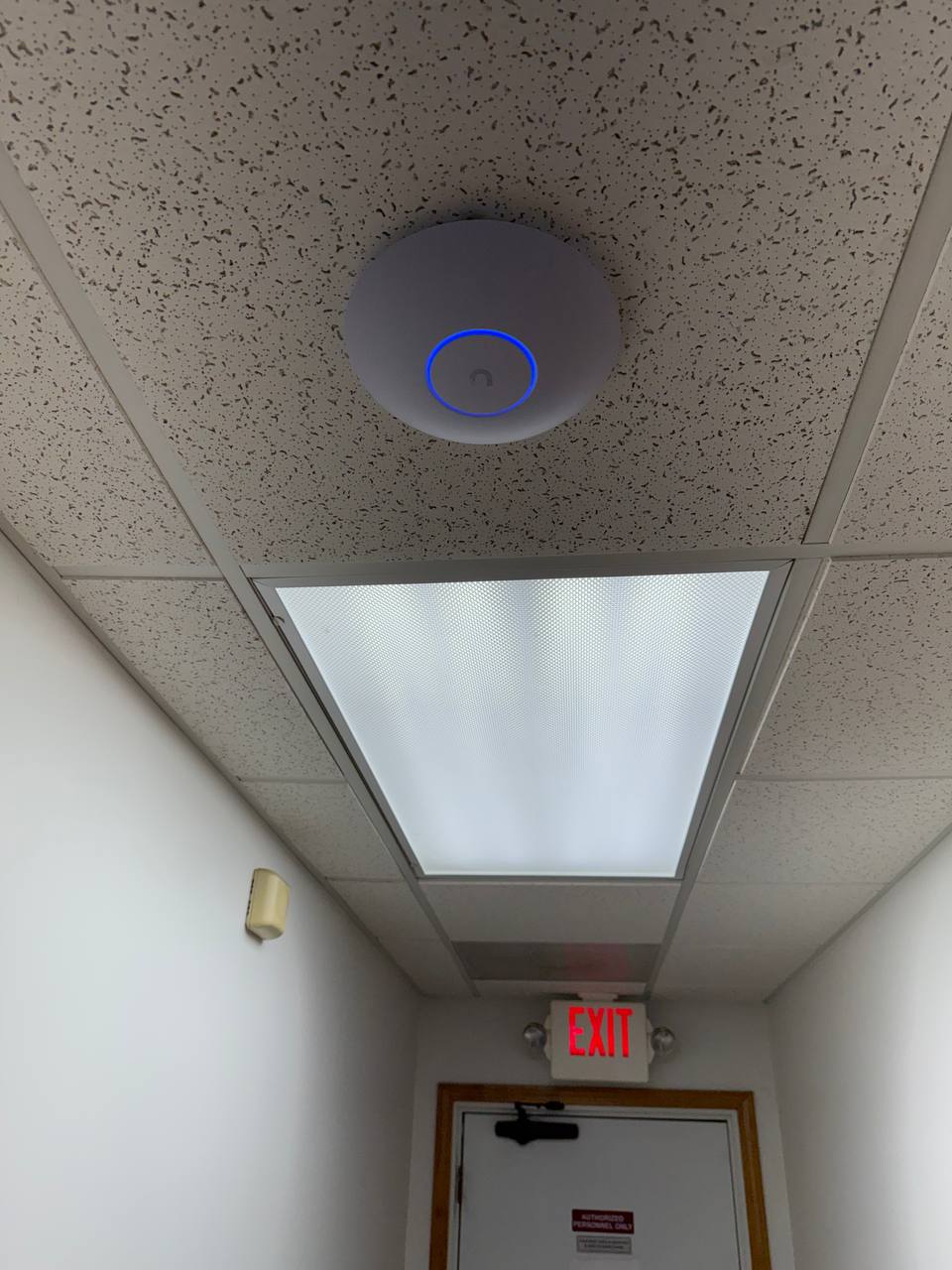
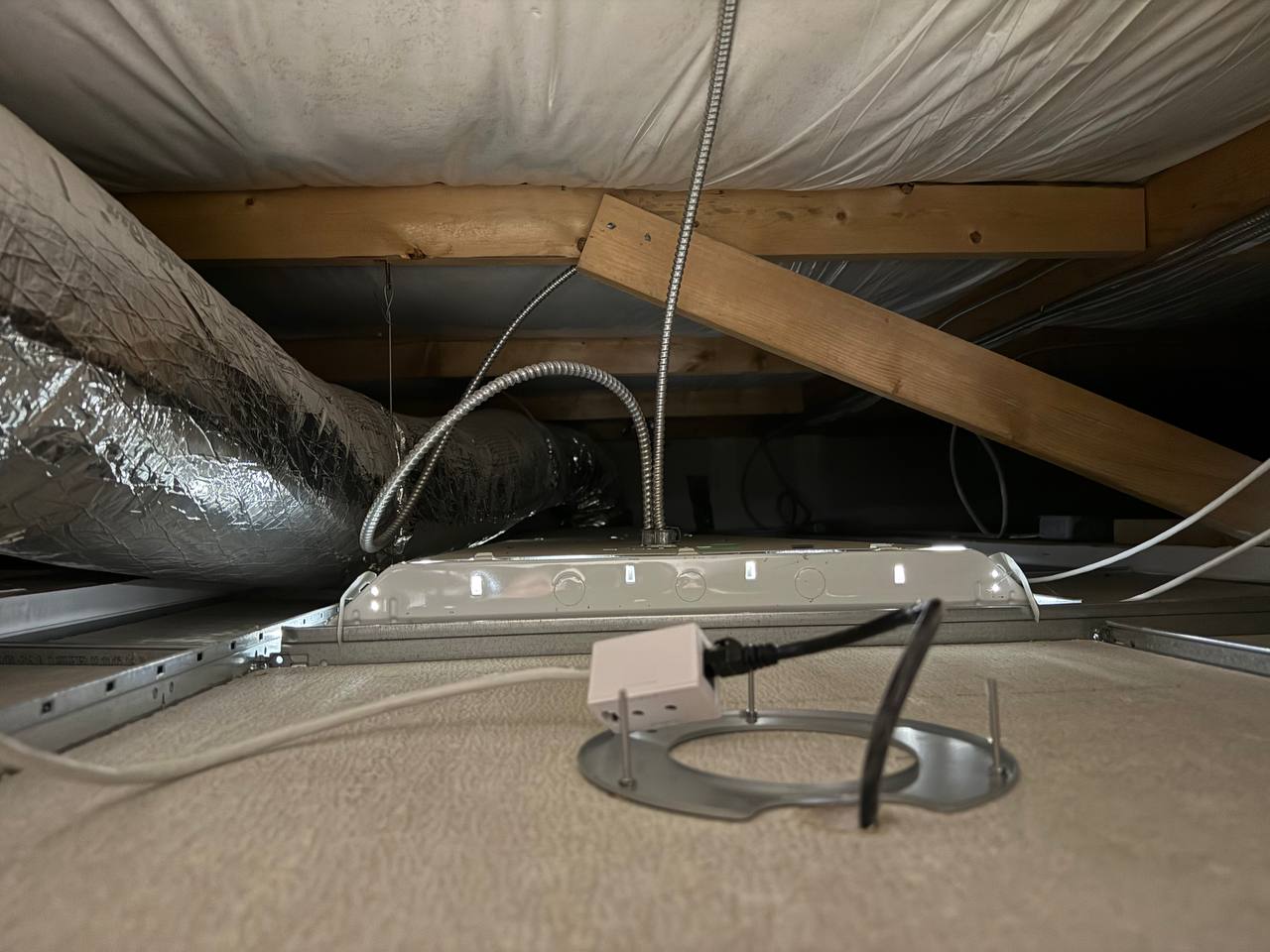
Single Ethernet run to each access point from the PoE switch — no extra power adapters, no clutter. Powered and managed centrally through UniFi.
Why PoE matters here
Power over Ethernet means each access point gets both data and power through a single Cat6 cable run from the switch. No hunting for power outlets near the ceiling. No adapters. Clean install, easy maintenance, and less that can go wrong.
After: Wall-to-Wall Coverage, No Guesswork
Full building coverage: Staff can work from anywhere in the facility — front office, back office, shop floor — without drops or slowdowns. The dead spots are gone.
Reliable connections: No more devices hanging onto a weak signal from too far away. The UniFi access points handle roaming cleanly — devices connect to whichever AP gives them the best signal.
Clean install: One Ethernet run to each AP from the PoE switch. No power adapters, no cable clutter, nothing mounted next to an outlet.
Real visibility: The UniFi dashboard shows them connected devices, network health, and usage — something they never had with the Spectrum router. When something's wrong, or a device needs attention, there's somewhere to look.
Built to grow: UniFi scales. If they add space or need another access point down the road, it plugs right into the existing system without starting over.
The bottom line
"A heat map first, hardware second. Know where the dead spots are before you decide where to put anything."
Consumer gear in a metal building isn't a networking problem — it's the wrong tool for the environment. A properly designed UniFi install, placed based on survey data, gives a small business reliable coverage without overspending or overcomplicating it.